


Introduction
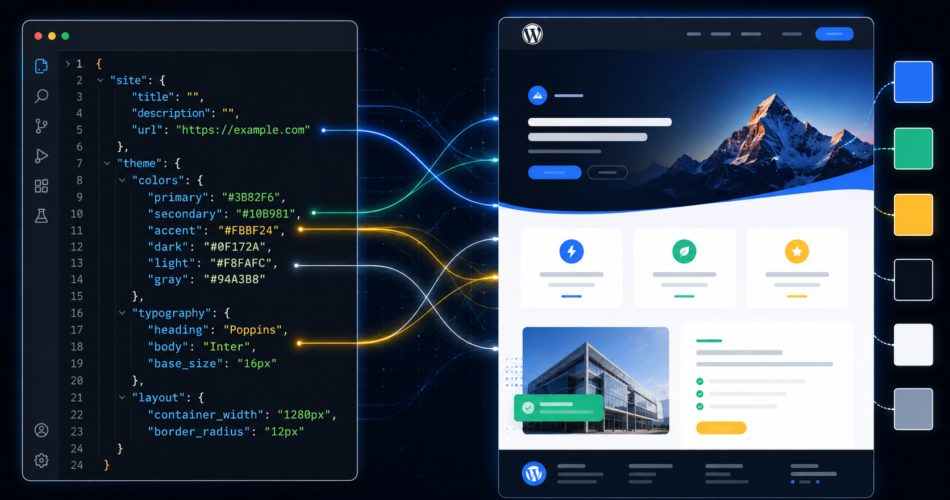
What if one JSON file could control every color, font, spacing, and block style across your entire WordPress site — and you never had to write a single line of CSS?
That’s theme.json. It’s the single source of truth for every design decision in a WordPress block theme. This guide covers everything from color palettes to per-block overrides — with production-ready JSON you can copy into your own theme today.
What theme.json Replaces
Before block themes, WordPress theme design meant:
- CSS scattered across
style.css,editor-style.css, and multiple partials - PHP in
functions.phpto register Customizer settings add_theme_support()calls for every feature- No structured design token system
With theme.json, one file does all of this:
					/wp-content/themes/my-theme/
  ├── theme.json        ← ALL design decisions here
  ├── style.css         ← Only the theme header comment
  ├── functions.php     ← Much simpler now
  └── templates/        ← HTML block templates
The Settings vs Styles Distinction
This is the most important concept in theme.json:
					{
  "$schema": "https://schemas.wp.org/trunk/theme.json",
  "version": 3,
  "settings": {
    // What options APPEAR in the Editor UI
    // (the menu of choices a user can pick from)
  },
  "styles": {
    // What values are APPLIED by default
    // (what's selected when the page loads)
  }
}
Golden Rule:
settings= the menustyles= the default selection
Color Palette (Production Ready)
					{
  "settings": {
    "color": {
      "defaultPalette": false,
      "defaultGradients": false,
      "custom": true,
      "palette": [
        { "slug": "primary",    "color": "#2563EB", "name": "Primary"    },
        { "slug": "secondary",  "color": "#10B981", "name": "Secondary"  },
        { "slug": "accent",     "color": "#F59E0B", "name": "Accent"     },
        { "slug": "neutral",    "color": "#6B7280", "name": "Neutral"    },
        { "slug": "surface",    "color": "#F9FAFB", "name": "Surface"    },
        { "slug": "background", "color": "#FFFFFF", "name": "Background" },
        { "slug": "text",       "color": "#111827", "name": "Text"       },
        { "slug": "text-light", "color": "#6B7280", "name": "Text Light" }
      ],
      "gradients": [
        {
          "slug":     "brand",
          "gradient": "linear-gradient(135deg, #2563EB 0%, #10B981 100%)",
          "name":     "Brand Gradient"
        }
      ]
    }
  },
  "styles": {
    "color": {
      "background": "var(--wp--preset--color--background)",
      "text":       "var(--wp--preset--color--text)"
    }
  }
}
What WordPress auto-generates from this:
					:root {
  --wp--preset--color--primary:    #2563EB;
  --wp--preset--color--secondary:  #10B981;
  --wp--preset--color--accent:     #F59E0B;
  /* ...and so on for every slug */
}
You can use these anywhere in Additional CSS or block stylesheets.
Typography System (Complete)
					{
  "settings": {
    "typography": {
      "defaultFontSizes": false,
      "customFontSize": true,
      "fontFamilies": [
        {
          "fontFamily": "'Inter', system-ui, -apple-system, sans-serif",
          "slug": "body",
          "name": "Body (Inter)"
        },
        {
          "fontFamily": "'Playfair Display', Georgia, serif",
          "slug": "heading",
          "name": "Heading (Playfair)"
        },
        {
          "fontFamily": "'JetBrains Mono', 'Courier New', monospace",
          "slug": "mono",
          "name": "Monospace"
        }
      ],
      "fontSizes": [
        { "slug": "xs",   "size": "0.75rem",  "name": "XS"   },
        { "slug": "sm",   "size": "0.875rem", "name": "SM"   },
        { "slug": "base", "size": "1rem",     "name": "Base" },
        { "slug": "lg",   "size": "1.25rem",  "name": "LG"   },
        { "slug": "xl",   "size": "1.5rem",   "name": "XL"   },
        { "slug": "2xl",  "size": "2rem",     "name": "2XL"  },
        { "slug": "3xl",  "size": "3rem",     "name": "3XL"  },
        { "slug": "4xl",  "size": "4rem",     "name": "4XL"  }
      ]
    }
  },
  "styles": {
    "typography": {
      "fontFamily": "var(--wp--preset--font-family--body)",
      "fontSize":   "var(--wp--preset--font-size--base)",
      "lineHeight": "1.7"
    },
    "elements": {
      "heading": {
        "typography": {
          "fontFamily": "var(--wp--preset--font-family--heading)",
          "fontWeight": "700",
          "lineHeight": "1.2"
        }
      },
      "link": {
        "color": {
          "text": "var(--wp--preset--color--primary)"
        },
        ":hover": {
          "color": {
            "text": "var(--wp--preset--color--secondary)"
          }
        }
      },
      "button": {
        "color": {
          "background": "var(--wp--preset--color--primary)",
          "text": "#FFFFFF"
        },
        "typography": {
          "fontWeight": "600"
        },
        "border": {
          "radius": "6px"
        }
      }
    }
  }
}
Layout and Spacing
					{
  "settings": {
    "layout": {
      "contentSize": "720px",
      "wideSize":    "1200px"
    },
    "spacing": {
      "defaultSpacingSizes": false,
      "spacingSizes": [
        { "slug": "1", "size": "0.25rem", "name": "1" },
        { "slug": "2", "size": "0.5rem",  "name": "2" },
        { "slug": "3", "size": "0.75rem", "name": "3" },
        { "slug": "4", "size": "1rem",    "name": "4" },
        { "slug": "5", "size": "1.5rem",  "name": "5" },
        { "slug": "6", "size": "2rem",    "name": "6" },
        { "slug": "7", "size": "3rem",    "name": "7" },
        { "slug": "8", "size": "4rem",    "name": "8" }
      ]
    }
  },
  "styles": {
    "spacing": {
      "blockGap": "1.5rem",
      "padding": {
        "top":    "0",
        "right":  "var(--wp--style--root--padding-right)",
        "bottom": "0",
        "left":   "var(--wp--style--root--padding-left)"
      }
    }
  }
}
Per-Block Style Overrides
					{
  "styles": {
    "blocks": {
      "core/button": {
        "color": {
          "background": "var(--wp--preset--color--primary)",
          "text": "#FFFFFF"
        },
        "border": { "radius": "6px" },
        "typography": {
          "fontWeight": "600",
          "textTransform": "none",
          "fontSize": "var(--wp--preset--font-size--sm)"
        },
        "spacing": {
          "padding": { "top": "0.75rem", "bottom": "0.75rem",
                       "left": "1.5rem", "right": "1.5rem" }
        }
      },
      "core/quote": {
        "border": {
          "left": {
            "color": "var(--wp--preset--color--primary)",
            "width": "4px",
            "style": "solid"
          }
        },
        "color": { "background": "var(--wp--preset--color--surface)" },
        "typography": { "fontStyle": "italic" },
        "spacing": {
          "padding": { "left": "1.5rem", "top": "1rem", "bottom": "1rem" }
        }
      },
      "core/code": {
        "color": {
          "background": "#1E293B",
          "text": "#E2E8F0"
        },
        "typography": {
          "fontFamily": "var(--wp--preset--font-family--mono)",
          "fontSize": "var(--wp--preset--font-size--sm)"
        },
        "spacing": {
          "padding": { "top": "1rem", "bottom": "1rem",
                       "left": "1.25rem", "right": "1.25rem" }
        }
      },
      "core/separator": {
        "color": { "text": "var(--wp--preset--color--neutral)" },
        "border": { "color": "var(--wp--preset--color--neutral)", "width": "1px" }
      }
    }
  }
}
Where Site Editor Changes Are Stored
This surprises most developers:
					theme.json        → Theme files (filesystem)
                    Set by developer, updated with theme

Site Editor edits → DATABASE (wp_posts table)
                    post_type = 'wp_global_styles'
                    Survives theme updates ✅
                    Lost if you "Reset to defaults" ⚠️
To bake Site Editor changes into theme files:
Install Create Block Theme plugin → Site Editor → wrench icon → Save Changes to Theme → changes written to theme.json.
Pro Tips
- Set
"defaultPalette": falseto show only YOUR colors in the editor — removes the 30+ default WP colors - Use
var(--wp--preset--*)variables everywhere for consistency - Always use
"version": 3(latest) for new themes "defaultFontSizes": falseremoves WP’s default S/M/L/XL sizes from the UI- Per-block styles in theme.json apply globally — individual blocks can still override locally
Conclusion
theme.json is to WordPress block themes what Tailwind config is to Tailwind CSS — a central design system file where every token is defined once and used everywhere. Master it and you’ll never scatter design decisions across multiple CSS files again.
Categorized in: